Integrating Pur Brush Stroke Clipart Elements into Your Creative Workflow
In the fast-paced world of digital design and content creation, efficiency is not just a preference; it is a necessity. Whether you are a freelance graphic designer managing multiple client deadlines, a small business owner crafting your brand identity, or a hobbyist looking to elevate personal projects, the assets you choose can significantly impact your output quality and speed. This is where the Pur Brush Stroke Clipart Element collection becomes an invaluable resource. It is not merely a set of images; it is a toolkit designed to streamline the visual enhancement phase of your creative process.
Understanding how to effectively integrate these elements into your existing workflow requires a shift in perspective. Instead of viewing clipart as an afterthought or a last-minute fix, consider it a foundational layer that adds texture, movement, and organic feel to otherwise rigid digital compositions. By planning for these assets early in your project lifecycle, you can achieve a more cohesive and professional result with less effort.
The Strategic Value of High-Resolution Digital Assets
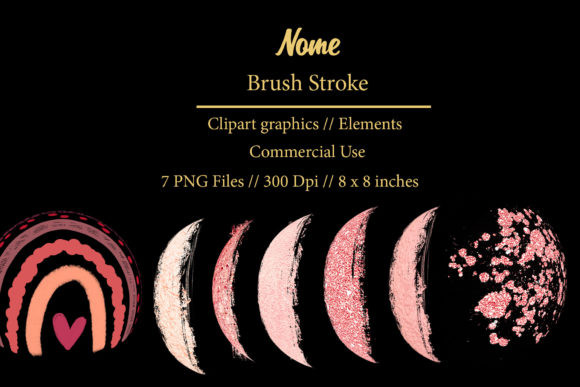
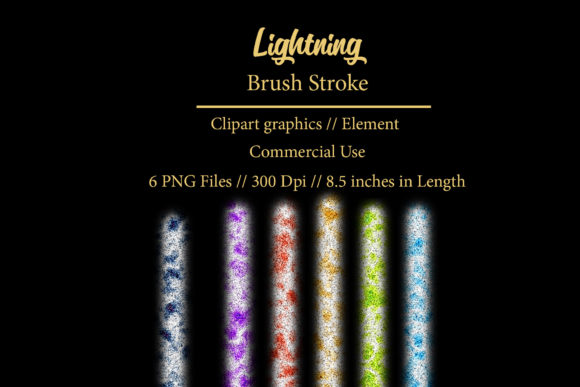
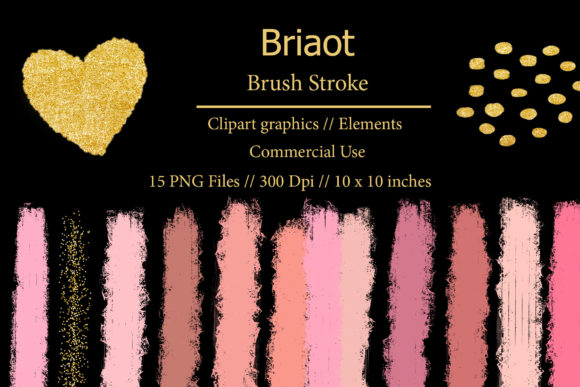
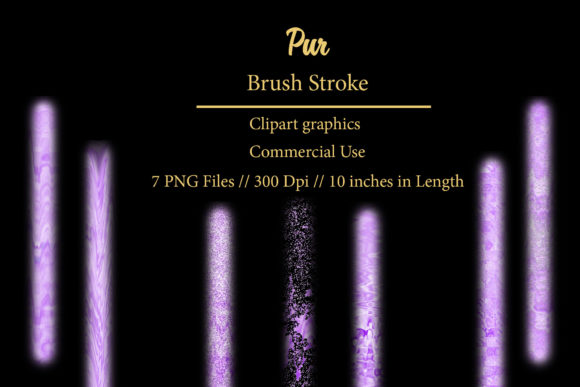
When evaluating digital resources, resolution and format are critical factors that determine usability across various platforms. The Pur Brush Stroke Clipart Element pack addresses these technical requirements head-on by providing seven individual transparent PNG elements at 300 DPI (dots per inch). This specification is crucial for professionals who need versatility. A 300 DPI resolution ensures that your designs remain crisp and clear whether they are viewed on a high-definition monitor or printed on physical media.
The inclusion of transparent backgrounds is equally significant. It eliminates the tedious and often error-prone process of manual background removal. When you download the .ZIP file and extract the contents, you are ready to drag and drop these elements directly into your workspace. This seamless compatibility saves time during the execution phase, allowing you to focus on composition and messaging rather than technical troubleshooting. The elements are sized at 10 inches in length, providing a substantial canvas area that can be scaled down for delicate details or maintained at full size for bold statements without losing integrity.
Preparation and Organization: Setting the Stage
Effective use of any digital asset begins with proper organization. Upon purchasing this digital product, the first step in your workflow should be extraction and cataloging. Create a dedicated folder in your asset library labeled "Brush Strokes" or "Textures." Inside, store the extracted PNGs from the .ZIP file. This simple organizational habit ensures that when inspiration strikes or a deadline looms, you are not wasting precious minutes searching through download folders.
Consider the context in which you will be using these strokes. Are they intended for subtle background accents, or will they serve as primary design features? Understanding this distinction helps in selecting the right element from the seven available options. Each stroke in the Pur Brush Stroke Clipart Element collection likely offers a unique curvature and weight. Reviewing them beforehand allows you to mentally map which stroke fits specific project types, such as heavy, bold strokes for headlines and lighter, sweeping strokes for decorative borders.
Integration Across Print and Digital Media
The versatility of these brush strokes allows them to function effectively across a wide spectrum of applications. Their utility spans both print and digital domains, making them a cost-effective addition to your resource library.
Enhancing Printed Materials and Stationery
For those involved in creating physical goods, the high-resolution nature of these PNGs is indispensable. When designing invitations, stationery, or business cards, the organic feel of a brush stroke can soften the rigidity of standard typography. For example, placing a subtle brush stroke behind a name on a business card adds a layer of sophistication and custom artistry without the cost of hiring an illustrator. Similarly, in planner goodies and stickers, these elements can serve as dividers, headers, or decorative frames that guide the user’s eye through the page layout.
The key to success in print applications is color management. Since these are PNGs, they retain their color information exactly as designed. Ensure your design software is set to the appropriate color profile (CMYK for print) to maintain consistency. The transparency allows the stroke to blend naturally with paper textures or colored backgrounds, creating a integrated look rather than a sticker-like appearance.
Elevating Digital Presence and Web Decor
In the digital realm, speed and load times are important, but so is visual impact. Blog graphics, web decor, and social media posts benefit immensely from the dynamic energy of brush strokes. Use the Pur Brush Stroke Clipart Element to highlight key quotes in blog headers or to create visually distinct sections in long-form articles. The organic lines break up the monotony of text blocks, improving readability and engagement.
For advertisers and marketers, these elements can be used to draw attention to call-to-action buttons or special offers. A well-placed brush stroke can act as an underline or a backdrop that makes text pop against a busy background. Because the files are lightweight PNGs, they do not significantly burden website loading speeds, ensuring a smooth user experience.
Application in Product Design and Sublimation
One of the most lucrative areas for creators today is print-on-demand and sublimation design. T-shirts, mugs, fabric, and other DIY projects require designs that are not only visually appealing but also technically sound for printing processes. The 300 DPI resolution of the Pur Brush Stroke Clipart Element makes it ideal for sublimation, where image quality directly translates to product quality.
When creating designs for apparel or home goods, consider how the brush stroke interacts with the base material. On a white t-shirt, a black or colored stroke stands out boldly. On darker fabrics, you may need to adjust the blending modes in your design software or use the stroke as a mask for other textures. The transparency feature is particularly useful here, allowing for complex layering effects that give the impression of hand-painted artwork on commercial products.
Workflow Efficiency and Consistency
Integrating these elements into your routine promotes consistency across your brand or project suite. By using the same set of brush strokes across different materials—such as logos, blog graphics, and business cards—you create a unified visual language. This consistency builds recognition and trust with your audience.
Moreover, having a reliable set of go-to assets reduces decision fatigue. Instead of starting from scratch for every new project, you have a trusted foundation. You can experiment with opacity, blending modes, and color overlays to create variations while maintaining the core aesthetic. This approach accelerates the initial draft phase, allowing more time for refinement and client feedback.
Practical Tips for Maximum Impact
- Layering: Do not be afraid to layer multiple brush strokes. Overlapping them with different opacities can create depth and complexity that mimics traditional painting techniques.
- Color Adaptation: While the original colors are striking, remember that PNGs can be recolored in most design software. Match the strokes to your brand palette for a cohesive look.
- Scaling: Although the base size is 10 inches, you can scale these elements up or down. Always check for pixelation if scaling up significantly, though 300 DPI provides a generous buffer.
- Contrast: Ensure there is sufficient contrast between the brush stroke and the background. If the background is busy, consider adding a slight drop shadow or glow to the stroke to make it stand out.
In conclusion, the Pur Brush Stroke Clipart Element is more than a simple download; it is a strategic tool for enhancing creativity and efficiency. By understanding its technical specifications, organizing it effectively, and integrating it thoughtfully into your print and digital workflows, you can elevate the quality of your work. Whether you are designing a logo, creating sublimation prints, or decorating a blog, these elements provide the organic touch needed to connect with your audience on a deeper level. Embrace the versatility of these assets, and let them streamline your creative process from concept to completion.